
Trello: Your AI-Powered Command Center for Project Bliss
WorkflowsDescription
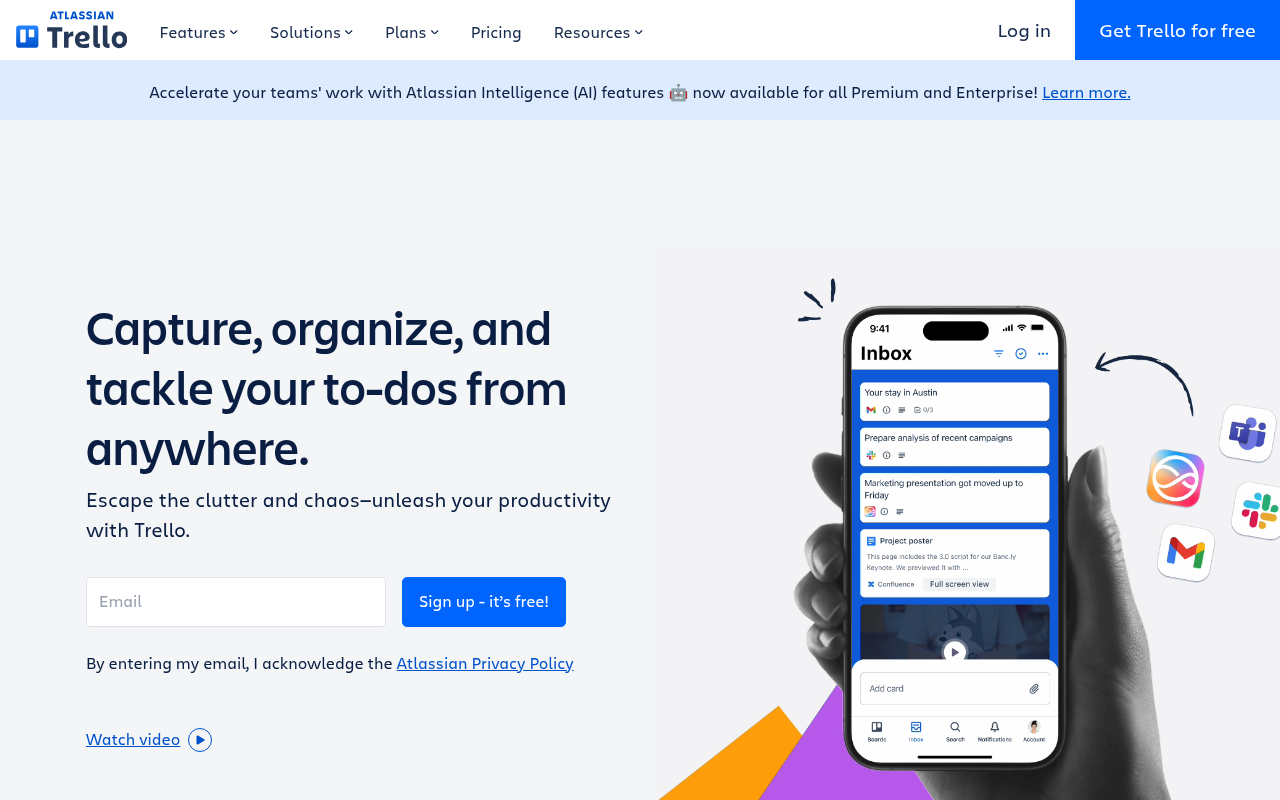
Make the impossible, possible with Trello. The ultimate tool to boost your productivity. Escape the clutter and chaos—stay efficient with Inbox, Boards, and Planner from anywhere, even on mobile.
Website Preview
Click to view full size
About This Website
Trello: Organize Everything, Achieve Anything
Trello is a visual project management tool designed to help individuals and teams organize tasks, collaborate effectively, and boost productivity. Powered by AI to streamline workflows, Trello offers a flexible, intuitive platform adaptable to various projects, from personal to-do lists to complex business initiatives. With cross-platform availability, including web, desktop, and mobile apps, Trello ensures you can manage your projects from anywhere.
Key Features
- Boards, Lists, and Cards: Trello's core visual system allows for easy task creation (cards), categorization (lists), and project overview (boards). This visual approach makes it simple to understand project status at a glance.
- Power-Ups & AI Integrations: Enhance your boards with Power-Ups that integrate with other tools like Slack, Google Drive, and Jira. The AI features provide intelligent task suggestions and automation options.
- Automation (Butler): Automate repetitive tasks with Trello's built-in automation tool, Butler. This helps free up time for more important work. Examples of automation possible with Butler: Automatically assigning members to a card based on the list it's in, or posting a summary of cards into Slack at the end of each day.
- Collaboration Tools: Seamlessly collaborate with team members through card comments, attachments, and due dates. Assign tasks, provide feedback, and track progress in real-time.
- Mobile Accessibility: Stay connected and manage your tasks on the go with Trello's mobile apps for iOS and Android, ensuring productivity isn't limited to your desk.
Pros & Cons
| Pros | Cons |
|---|---|
| ✓ Highly visual and intuitive interface | ✗ Can become cluttered with too many cards and lists |
| ✓ Flexible and adaptable to various project types | ✗ Advanced features require paid subscriptions |
| ✓ Excellent collaboration features | ✗ Limited reporting capabilities in the free version |
| ✓ Seamless integration with other popular tools (Power-Ups) | ✗ Can be overwhelming for users new to project management concepts |
Who is Using Trello?
Trello is used by a wide range of individuals and teams, including:
- Project Managers: For planning, execution, and tracking of project milestones.
- Marketing Teams: For managing campaigns, content calendars, and social media schedules.
- Software Developers: For bug tracking, sprint planning, and code review workflows.
- Small Businesses: For organizing daily operations, customer relationship management, and task delegation.
- Individuals: For personal to-do lists, goal setting, and event planning.
Creative use cases include recipe organization, travel planning, and even as a virtual vision board.
Pricing
Trello offers several pricing tiers:
- Free: Provides basic features for individuals or small teams, with limitations on Power-Ups and file attachments.
- Standard: ($5 USD user/month billed annually) Offers increased storage, advanced checklists, and custom fields.
- Premium: ($10 USD user/month billed annually) Includes advanced features like timeline view, dashboard view, and advanced automation.
- Enterprise: (Contact Sales) Designed for larger organizations, with unlimited workspaces, enhanced security, and personalized support.
Disclaimer: Pricing may change, so refer to Trello's official website for the most up-to-date information.
What Makes Trello Unique?
Trello's unique selling point is its visual simplicity and flexibility. Unlike more rigid project management tools, Trello adapts to your workflow, not the other way around. Its drag-and-drop interface, combined with its Power-Up ecosystem, allows users to customize the platform to fit their specific needs. The AI-driven features elevate a simple set of cards, lists and boards into a powerful planning system.
How We Rated It
| Feature | Rating (1-5) |
|---|---|
| Accuracy and Reliability | 4 |
| Ease of Use | 5 |
| Functionality and Features | 4 |
| Performance and Speed | 4 |
| Customization and Flexibility | 5 |
| Data Privacy and Security | 4 |
| Support and Resources | 4 |
| Cost-Efficiency | 4 |
| Integration Capabilities | 5 |
| Overall Score | 4.3 |
Summary
Trello is a standout AI-enhanced project management tool that excels in visual organization and collaborative functionality. It's perfect for individuals, small teams, and larger organizations needing a flexible and intuitive way to manage tasks and projects. Those seeking a highly customizable, visually driven platform with robust integration capabilities will find Trello an invaluable asset.
Similar Tools
Empower your business with UiPath automation platform. Leverage agentic automati...
Discover Outreach, the AI sales execution platform. Elevate your sales strategy,...
Featured Links
Unlock back-tested predictive leading trading indicators on real-time charts. Tr...