
Trello: A Visual Task Management Powerhouse
MarketingDescription
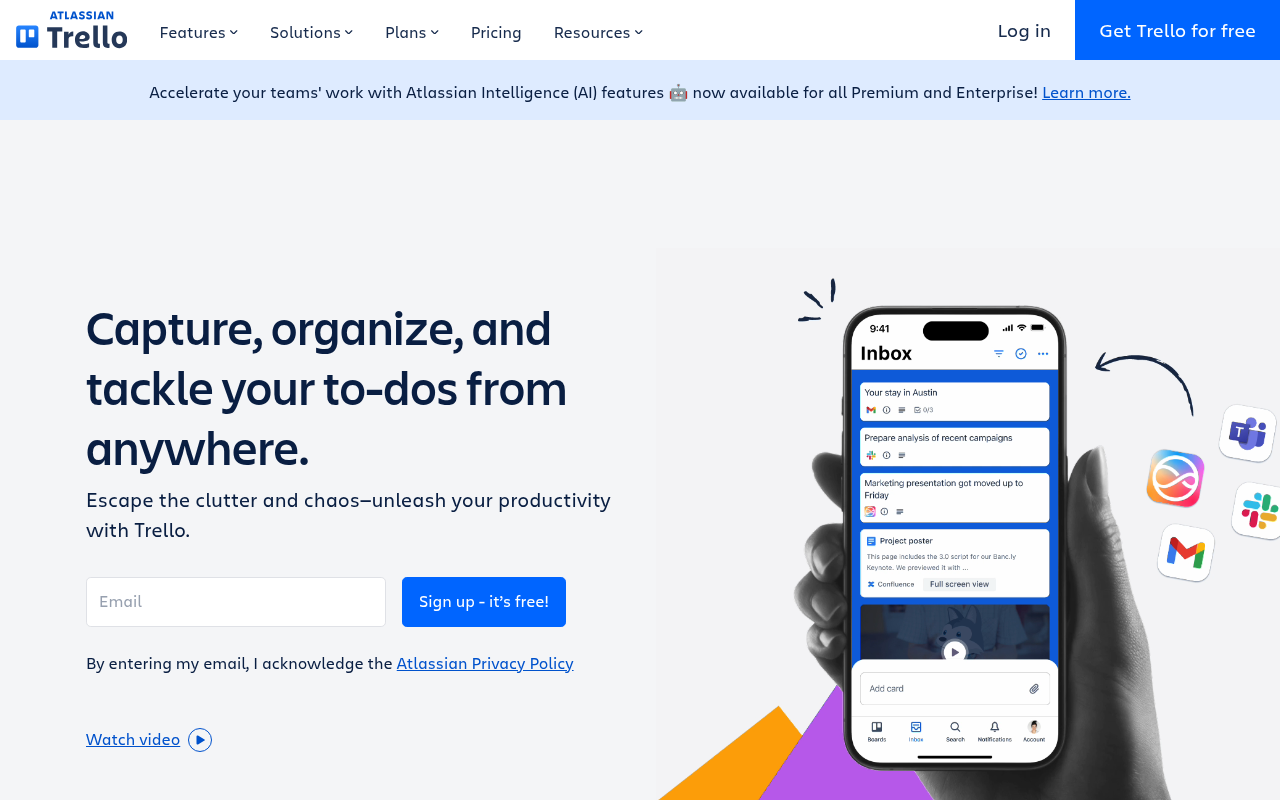
Make the impossible, possible with Trello. The ultimate tool to boost your productivity. Escape the clutter and chaos—stay efficient with Inbox, Boards, and Planner from anywhere, even on mobile.
Website Preview
Click to view full size
About This Website
What is Trello?
Trello is a visual task management tool designed to help individuals and teams organize projects and workflows. It utilizes a card-based system within boards, allowing users to track progress, assign tasks, and collaborate effectively. Its intuitive design makes it accessible for anyone, regardless of their technical expertise. It is available via web browser, desktop app, and mobile app, offering a cross-platform advantage.
Key Features
- Boards, Lists, and Cards: These are the fundamental building blocks of Trello. Boards represent entire projects, lists categorize tasks within those projects (e.g., "To Do," "In Progress," "Completed"), and cards represent individual tasks.
- Customizable Workflows: Trello allows users to create workflows that match their specific needs. You can add custom labels, due dates, checklists, and attachments to cards.
- Collaboration Features: Teams can collaborate seamlessly on Trello boards. Users can assign cards to members, leave comments, and receive notifications about updates.
- Power-Ups: These are integrations with other apps and services that extend Trello's functionality. Popular Power-Ups include integrations with Slack, Google Drive, and Jira.
- Automation (Butler): Trello offers built-in automation capabilities (Butler) that allow users to automate repetitive tasks. This feature can greatly improve efficiency by automatically moving cards, assigning tasks, and posting updates.
Pros and Cons
| Pros | Cons |
|---|---|
| ✓ Visual and intuitive interface | ✗ Can become cluttered with large, complex projects |
| ✓ Highly customizable workflows | ✗ Limited features in the free plan |
| ✓ Excellent collaboration features | ✗ Reporting features are basic |
| ✓ Cross-platform availability | ✗ Power-Ups can add to the cost |
| ✓ Strong automation capabilities with Butler | ✗ Limited offline access |
Who is Using Trello?
Trello is widely used by individuals and teams across various industries, including:
- Marketing teams use Trello to manage campaigns, content calendars, and social media schedules.
- Software development teams use Trello for agile project management, bug tracking, and sprint planning.
- Project managers use Trello to track progress, assign tasks, and collaborate with team members.
- Individuals use Trello for personal task management, goal setting, and habit tracking.
- Creative Use Case: Event planners might use Trello to manage every detail of an event or conference, from speaker scheduling to vendor coordination.
Pricing
Trello offers several pricing plans:
- Free: Basic features for individuals and small teams.
- Standard: Enhanced collaboration and task management tools.
- Premium: Advanced features for larger teams and complex projects.
- Enterprise: Tailored solutions for organizations with specific needs.
Disclaimer: Pricing may change; please refer to the Trello website for the most up-to-date information.
What Makes Trello Unique?
Trello's unique selling point is its simplicity and visual approach to task management. Its flexible Kanban board system allows users to easily customize their workflows and track progress in a visually appealing way. The combination of core Kanban features, Power-Ups and automations differentiates it from alternatives.
How We Rated It
| Category | Rating (1-5) |
|---|---|
| Accuracy and Reliability | 4 |
| Ease of Use | 5 |
| Functionality and Features | 4 |
| Performance and Speed | 4 |
| Customization and Flexibility | 5 |
| Data Privacy and Security | 4 |
| Support and Resources | 4 |
| Cost-Efficiency | 4 |
| Integration Capabilities | 4 |
| Overall Score | 4.2 |
Summary
Trello stands out as a versatile and user-friendly task management tool. It's especially beneficial for individuals and teams who value visual organization, easy collaboration, and customizable workflows. Its flexibility and adaptability make it a standout AI tool in the productivity category, suitable for everything from managing personal to-dos to handling complex business projects.
Similar Tools
The Chosen AI Headshot Generator for realistic professional AI headshots in 4k q...
WorldPress is a platform that simplifies the process of creating and distributin...
Starbuzz is an influencer marketing platform that enables brands to save 50% of ...
Discover Charlie Lounge: Your all-in-one AI platform to automate tasks, boost bu...
Featured Links
Unlock back-tested predictive leading trading indicators on real-time charts. Tr...