
Sketch2App: AI-Powered Code Generation from Sketches
Design GeneratorsDescription
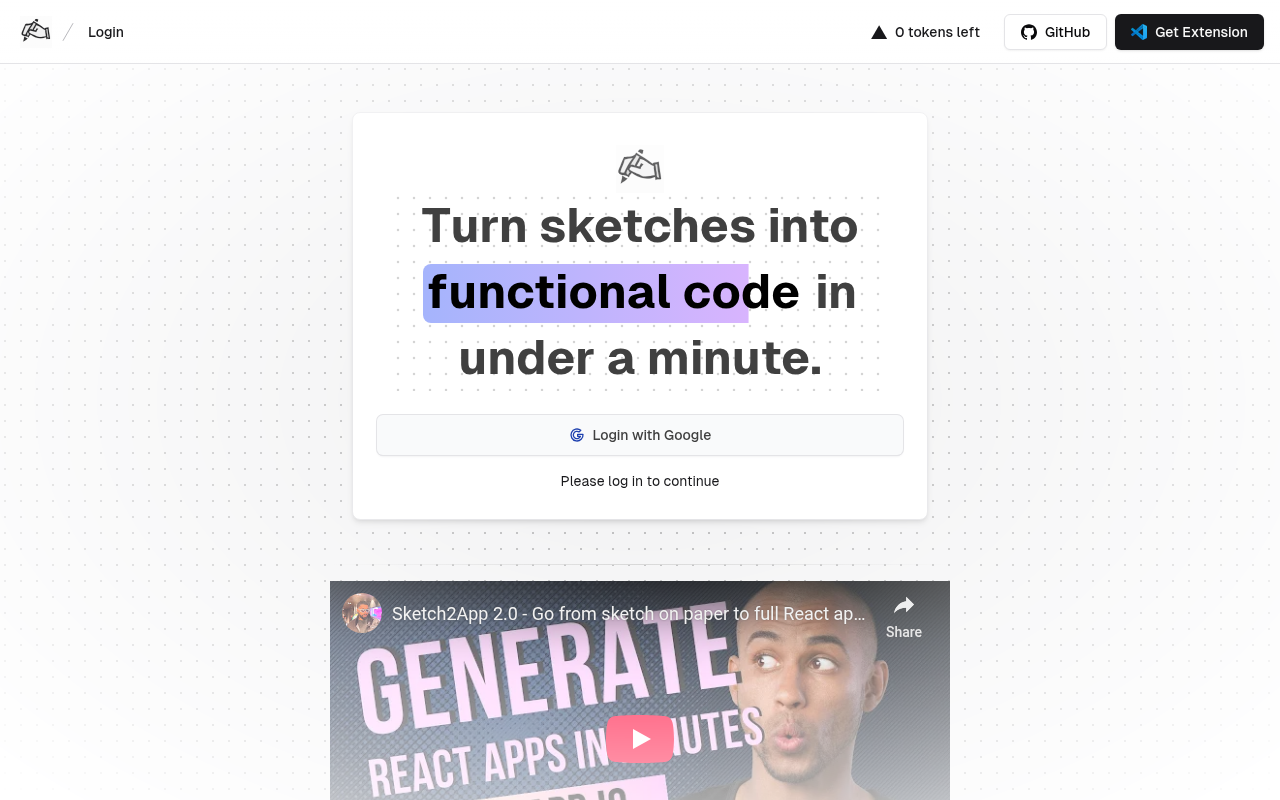
The ultimate AI powered app generator, allowing you transform hand drawn sketches into functional code using webcam in seconds. Unlike v0, tldraw and others, select the framework and libraries you desire and build up the app your way. Generate code from a hand-drawn sketch, photo or screenshot, clone a website or start with premium template. Sketch2App supports both mobile and web app development.
Website Preview
Click to view full size
About This Website
Introducing Sketch2App: Your Sketch, Your App, Instantly
Ever dreamed of turning your hand-drawn app ideas into reality instantly? Sketch2App offers an AI-powered solution to do just that. This innovative tool allows you to transform sketches into functioning code in seconds, differentiating itself from competitors by granting users the power to choose their preferred frameworks and libraries. Whether you're a seasoned developer looking to expedite prototyping or a beginner eager to bring your vision to life, Sketch2App simplifies the app development process with its intuitive AI. It caters to both mobile and web app development needs, making it a versatile choice for a wide range of projects.
Key Features
Sketch2App boasts a suite of features designed to streamline the app development workflow:
- Sketch to Code Generation: Instantly convert hand-drawn sketches, photos, or screenshots into clean, functional code.
- Framework and Library Selection: Choose your preferred frameworks and libraries to tailor the generated code to your specific project requirements.
- Website Cloning: Quickly replicate existing websites to kickstart your development process or create variations on existing designs.
- Premium Templates: Begin with professionally designed templates to accelerate your app development and ensure a polished look and feel.
Pros and Cons
| Pros | Cons |
|---|---|
| ✓ Rapid prototyping and development. | ✗ Dependency on the accuracy of the initial sketch. |
| ✓ User-friendly interface. | ✗ Potential limitations in handling complex designs. |
| ✓ Flexibility through framework and library selection. | ✗ Pricing might be a barrier for some individual users. |
| ✓ Supports both mobile and web app development. |
Who is Using Sketch2App?
Sketch2App sees use across various user groups:
- Individual Developers: Quickly prototype app ideas and accelerate development workflows.
- Startups: Efficiently create MVPs (Minimum Viable Products) to validate concepts and attract funding.
- Designers: Seamlessly translate designs into functional code without extensive programming knowledge.
- Educational Institutions: Teach students the fundamentals of app development in an engaging and accessible manner.
Beyond these typical use cases, Sketch2App can also be used by artists to create interactive art installations or by educators to design custom learning apps based on hand-drawn mockups.
Pricing
Sketch2App offers a tiered pricing structure to accommodate different needs and usage levels. It generally includes a free tier with limited features, followed by paid plans with increasing functionality, code generation limits, and access to premium templates. More information and the exact figures can be found on their pricing page.
Disclaimer: Pricing is subject to change. Please refer to the Sketch2App website for the most up-to-date information.
What Makes Sketch2App Unique?
Sketch2App's unique selling proposition lies in its combination of simplicity and flexibility. Unlike other AI code generation tools that might impose strict limitations on design or framework choices, Sketch2App empowers users to maintain control over their projects. The ability to select specific frameworks and libraries ensures that the generated code aligns with existing workflows and project requirements. The instant sketch-to-code conversion also sets it apart, providing an unparalleled speed and ease of prototyping.
How We Rated It
| Category | Rating (1-5) |
|---|---|
| Accuracy and Reliability | 4 |
| Ease of Use | 5 |
| Functionality and Features | 4 |
| Performance and Speed | 5 |
| Customization and Flexibility | 4 |
| Data Privacy and Security | 4 |
| Support and Resources | 3 |
| Cost-Efficiency | 4 |
| Integration Capabilities | 3 |
| Overall Score | 4.0 |
Summary
Sketch2App is a standout AI tool for anyone looking to quickly translate visual ideas into functional code. Its user-friendly interface, framework selection options, and rapid prototyping capabilities make it an excellent choice for developers, designers, and educators alike. Whether you're launching a startup, teaching app development, or simply exploring your creative potential, Sketch2App provides the tools you need to bring your sketched ideas to life.
Similar Tools
Generate beautiful custom isometric skeuomorphic icons inspired by Airbnb's new ...
EditAI helps teachers create engaging, problem-based learning (PBL) content alig...
Share your designs with your clients and your team to get feedback on websites, ...
Get access to a library of the highest quality 3D content and create virtual wo...
Featured Links
Unlock back-tested predictive leading trading indicators on real-time charts. Tr...