
Figma: Design and Collaborate in Real-Time
Design GeneratorsDescription
Figma is the leading collaborative design tool for building meaningful products. Seamlessly design, prototype, develop, and collect feedback in a single platform.
Website Preview
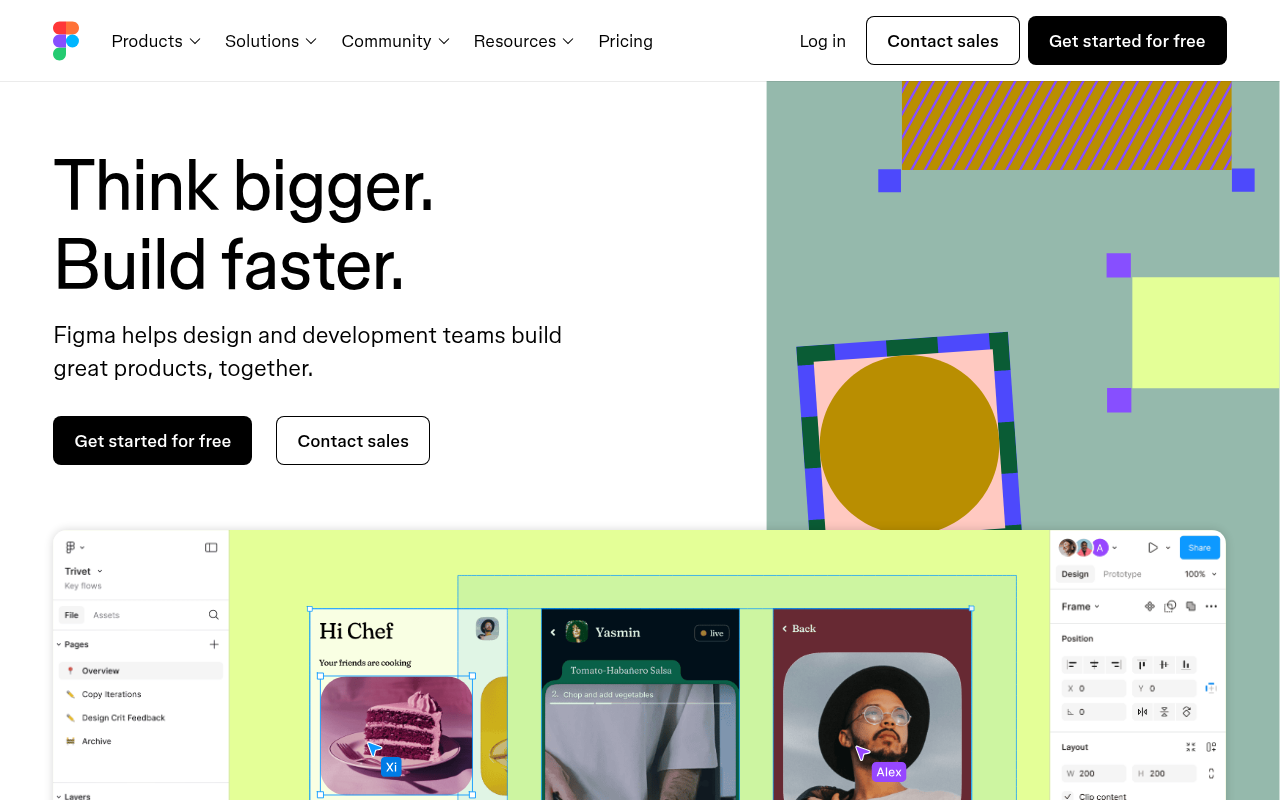
Click to view full size
About This Website
Here's a detailed article about Figma, a leading collaborative design tool, following the instructions you provided:
What is Figma?
Figma is a powerful, web-based design tool built for teams to create, prototype, and share designs. It stands out in the UI/UX design world due to its real-time collaboration features, making it ideal for designers, product managers, developers, and stakeholders to work together seamlessly on projects of any scale. Its cross-platform advantage means you can access and work on your designs from any operating system with a web browser, whether it's Windows, macOS, or even Linux.
Key Features
- Real-Time Collaboration: Multiple users can work on the same design file simultaneously, seeing each other's changes in real-time. This eliminates version control issues and streamlines the design process.
- Vector Editing: Figma provides robust vector editing tools, allowing users to create intricate shapes, icons, and illustrations directly within the platform.
- Prototyping: Create interactive prototypes with animations, transitions, and overlays to test user flows and interactions before development.
- Component Libraries: Build and maintain reusable design components across multiple projects, ensuring consistency and speeding up the design process.
- Developer Handoff: Figma simplifies the handoff process by providing developers with access to design specs, assets, and code snippets, reducing communication gaps and errors.
Pros & Cons
| Pros | Cons |
|---|---|
| ✓ Real-time Collaboration | ✗ Requires a stable internet connection |
| ✓ Cross-platform compatibility (web-based) | ✗ Can be resource-intensive with complex designs |
| ✓ Robust vector editing and prototyping tools | ✗ Limited offline functionality |
| ✓ Version history and cloud storage | ✗ Pricing can be a barrier for individual users |
| ✓ Streamlined developer handoff process and code export | ✗ Can have a learning curve for new users |
Who is Using Figma?
Figma is used by a wide range of professionals, including UI/UX designers, product managers, graphic designers, web developers, and marketing teams. Typical use cases include designing website interfaces, mobile app UIs, marketing materials, and presentations. However, Figma's versatility has also led to creative applications such as:
- Creating interactive whiteboards: Teams use Figma to brainstorm, visualize ideas, and collaborate on strategic planning.
- Designing internal documentation: Companies use Figma to create visually appealing and easy-to-understand documentation for internal processes and guidelines.
Pricing
Figma offers a tiered pricing structure:
- Free: Limited to 3 Figma files, 3 FigJam files, and unlimited collaborators.
- Figma Professional: Offers unlimited files, projects, and advanced features for $12 per editor/month (billed annually) or $15 per editor/month (billed monthly).
- Figma Organization: Designed for larger teams and organizations, providing advanced security, analytics, and support for $45 per editor/month (billed annually).
- FigJam: offers a professional plan at $5 per editor/month (billed annually) or $8 Per editor/month (billed monthly).
Disclaimer: Pricing is subject to change. Please refer to Figma's official website for the most up-to-date pricing information.
What Makes Figma Unique?
Figma’s web-based architecture and emphasis on real-time collaboration set it apart from traditional design tools. Its accessibility, version control, and streamlined handoff process make it an ideal choice for teams of all sizes. The community aspect, with publicly available design files and plugins, further enhances its appeal.
How We Rated It
| Category | Rating (1-5) |
|---|---|
| Accuracy and Reliability | 4 |
| Ease of Use | 4 |
| Functionality and Features | 5 |
| Performance and Speed | 4 |
| Customization and Flexibility | 4 |
| Data Privacy and Security | 4 |
| Support and Resources | 5 |
| Cost-Efficiency | 3 |
| Integration Capabilities | 4 |
| Overall Score | 4.1 |
Summary
Figma is an exceptional tool for anyone involved in the design process. Its collaborative features, cross-platform compatibility, and robust functionality make it a standout choice for teams seeking to streamline their workflow and create exceptional user experiences. Designers, product managers, and developers alike will benefit from Figma's ease of use and powerful capabilities.
Similar Tools
Generate beautiful custom isometric skeuomorphic icons inspired by Airbnb's new ...
EditAI helps teachers create engaging, problem-based learning (PBL) content alig...
Share your designs with your clients and your team to get feedback on websites, ...
Get access to a library of the highest quality 3D content and create virtual wo...
Featured Links
Unlock back-tested predictive leading trading indicators on real-time charts. Tr...