
ClickUp: The All-in-One Productivity Powerhouse
Project ManagementDescription
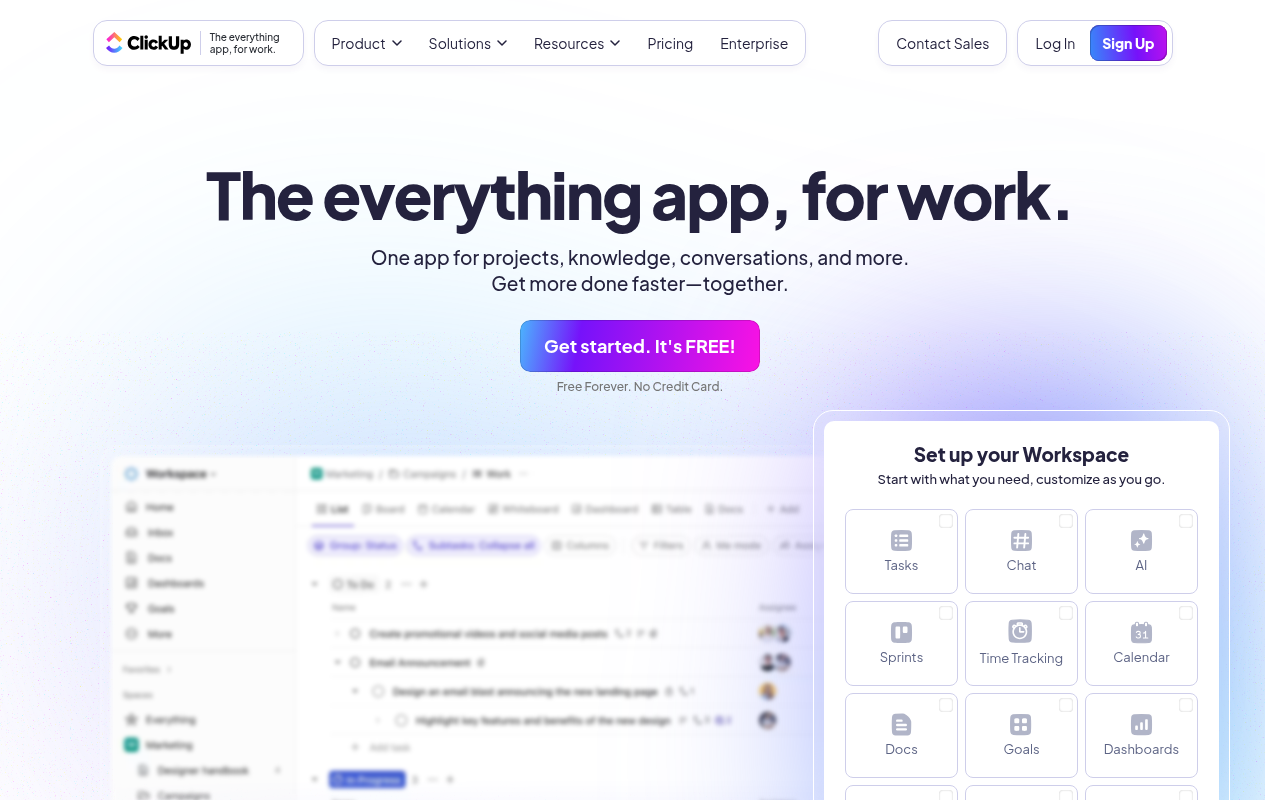
Our mission is to make the world more productive. To do this, we built the everything app for work - Tasks, Docs, Goals, and Chat.
Website Preview
Click to view full size
About This Website
What is ClickUp™?
ClickUp™ is a project management and productivity platform designed to be an "everything app for work." It aims to consolidate tasks, documents, goals, and team communication into a single, unified workspace. Utilizing AI-powered features, ClickUp™ helps users streamline workflows, enhance collaboration, and increase overall productivity. It caters to diverse users, from individuals managing personal projects to large teams coordinating complex initiatives. ClickUp™ is available across multiple platforms, offering web, desktop, and mobile applications, ensuring accessibility and seamless synchronization regardless of the device.
Key Features
-
Task Management: ClickUp™ offers robust task management capabilities, allowing users to create, assign, and track tasks with customizable statuses, priorities, and due dates. Multiple views, including List, Board (Kanban), Gantt chart, and Calendar, provide flexibility in visualizing and managing workflows.
-
Document Collaboration: ClickUp™ Docs allows teams to create, share, and collaborate on documents in real-time, directly within the platform. Features like version history, commenting, and editing permissions ensure seamless collaboration and knowledge management.
-
Goal Tracking: Users can set and track goals, break them down into smaller, manageable targets, and monitor progress through visual dashboards. This facilitates alignment with overall objectives and ensures that everyone is working towards the same goals.
-
Time Tracking: Integrated time tracking features allow users to accurately monitor time spent on tasks, providing valuable insights into productivity and project costing. Timesheets can be generated for reporting and billing purposes.
-
Automations: ClickUp™ allows users to automate repetitive tasks and workflows using custom automations. This can include automatically assigning tasks, updating statuses, sending notifications, and more, saving time and increasing efficiency.
Pros & Cons
| Pros | Cons |
|---|---|
| ✓ Highly customizable to fit various project needs. | ✗ The sheer number of features can be overwhelming initially. |
| ✓ All-in-one platform consolidating multiple tools. | ✗ Steeper learning curve compared to simpler project management tools. |
| ✓ Robust free plan available for basic use. | ✗ Mobile app functionality occasionally lags behind the web version. |
| ✓ Strong automation capabilities to streamline workflows. | |
| ✓ Excellent collaboration features for team communication. |
Who is Using ClickUp™?
ClickUp™ is used by a wide range of individuals and teams across various industries. Typical users include:
- Project managers: For planning, organizing, and tracking project progress.
- Marketing teams: For managing campaigns, content calendars, and marketing tasks.
- Software developers: For Agile project management, bug tracking, and sprint planning.
- Small business owners: For managing all aspects of their business in one place.
- Freelancers: For managing clients, projects, and time tracking.
Uncommon or creative use cases include:
- Wedding planning: Organizing vendor details, timelines, and guest lists.
- Personal goal setting: Tracking habits, routines, and personal projects.
- Real estate management: Managing property listings, tenant communications, and maintenance requests.
Pricing
ClickUp™ offers a tiered pricing structure:
- Free Forever: Limited features, suitable for personal use.
- Unlimited: Includes unlimited storage, integrations, and dashboards. Pricing typically starts around $7 per member per month when billed annually.
- Business: Adds advanced features like workload management and time tracking. Pricing typically starts around $12 per member per month when billed annually.
- Business Plus: Includes increased automation, admin features and priority support. Pricing typically starts around $19 per member per month when billed annually.
- Enterprise: Tailored solutions with dedicated support. Contact ClickUp™ for pricing.
Disclaimer: Pricing is subject to change. Please refer to the ClickUp™ website (https://try.web.clickup.com/?utm_source=5000.tools) for the most up-to-date pricing information.
What Makes ClickUp™ Unique?
ClickUp™ stands out due to its extreme customizability and its ability to replace multiple tools with a single platform. Unlike simpler project management solutions, ClickUp™ offers a vast array of features and settings, allowing users to tailor the platform to their specific needs and workflows. The comprehensive feature set and flexible pricing make it a competitive all-in-one solution.
How We Rated It
| Category | Rating (1-5) |
|---|---|
| Accuracy and Reliability | 4 |
| Ease of Use | 3 |
| Functionality and Features | 5 |
| Performance and Speed | 4 |
| Customization and Flexibility | 5 |
| Data Privacy and Security | 4 |
| Support and Resources | 4 |
| Cost-Efficiency | 4 |
| Integration Capabilities | 4 |
| Overall Score | 4.1 |
Summary
ClickUp™ is a powerful and versatile platform that caters to users seeking a comprehensive project management and productivity solution. While its extensive features may present a learning curve for some, its customizability, all-in-one functionality, and competitive pricing make it a standout choice for individuals, teams, and businesses looking to streamline their workflows and boost productivity. Those who benefit most are users or teams currently using multiple apps to manage their work, or those who anticipate that their project management needs will expand significantly over time. Because ClickUp™ can adapt to countless workflows with robust features, it is a worthy investment.
Similar Tools
Discover, compare, and bookmark 5,000+ of the best AI tools for productivity, co...
Cardamon enables regulated financial firms to launch products 10X faster by auto...
Autoblocks AI helps teams build, test, and deploy reliable AI applications with ...
The Data Foundry for the Multi-Modal AI Era
Featured Links
Unlock back-tested predictive leading trading indicators on real-time charts. Tr...