
ClickUp Review: The All-in-One Productivity Powerhouse
MarketingDescription
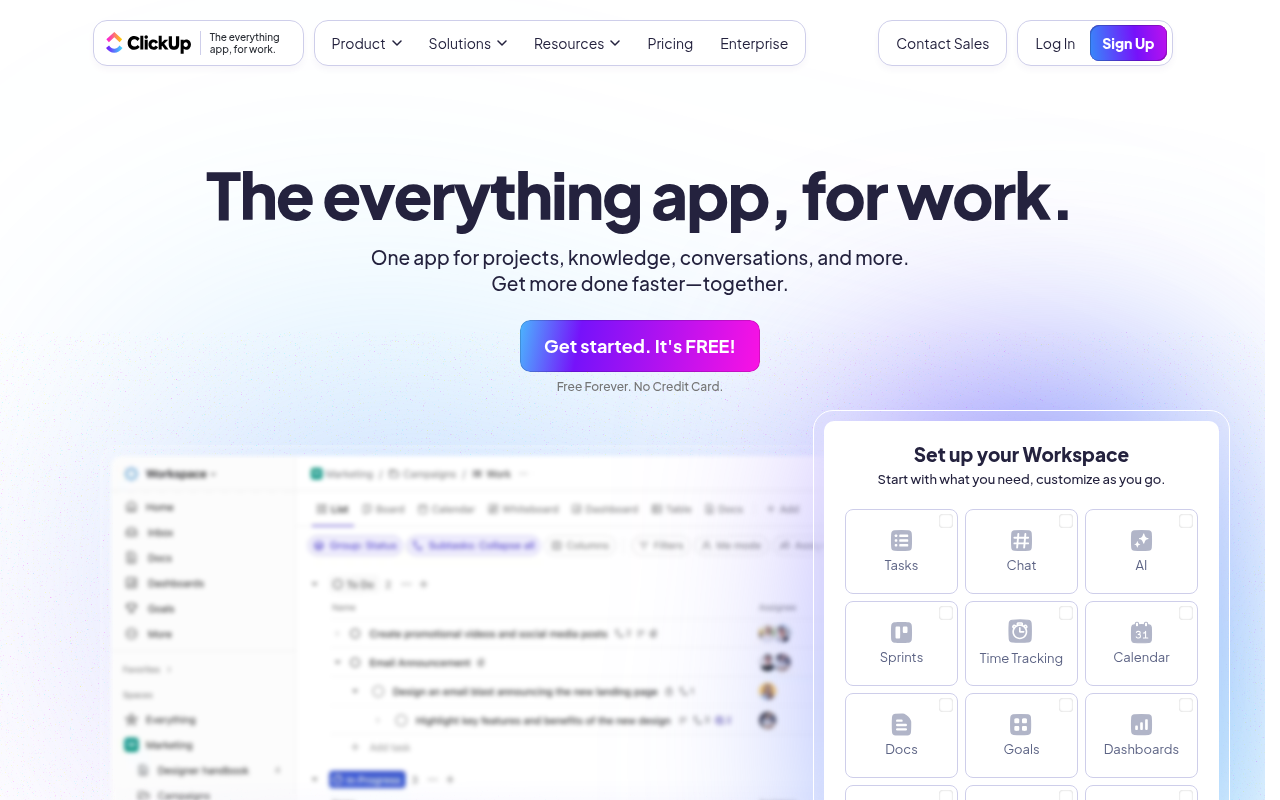
Our mission is to make the world more productive. To do this, we built the everything app for work - Tasks, Docs, Goals, and Chat.
Website Preview
Click to view full size
About This Website
What is ClickUp?
ClickUp is an all-in-one productivity platform designed to streamline workflows and boost team collaboration. It aims to be the "everything app for work," consolidating tasks, docs, goals, and chat into a single, customizable workspace. Powered by AI, ClickUp offers features like smart summaries, automated task creation, and intelligent search to enhance efficiency. It's designed for diverse users ranging from freelancers to large enterprises, offering cross-platform accessibility via web, desktop, and mobile apps.
Key Features
- Task Management: ClickUp's robust task management system allows users to create, assign, and track tasks with custom statuses, priorities, and due dates. Views like Kanban boards, Gantt charts, and lists provide flexibility for visualizing workflows. Subtasks, dependencies, and recurring tasks further enhance task organization.
- Document Collaboration: Integrated document creation and collaboration features enable teams to create, share, and edit documents directly within ClickUp. Real-time commenting, version history, and permission controls facilitate seamless collaboration on knowledge base articles, meeting notes, and project plans.
- Goal Tracking: ClickUp facilitates goal setting and tracking with customizable targets, progress updates, and automated calculations. Integrations with tasks and projects allow users to directly link goals to actionable items. Visual dashboards and reporting features provide insights into overall progress and performance.
- Time Tracking: Built-in time tracking features enable users to log time spent on tasks and projects. Customizable time tracking fields, reporting tools, and integrations with billing systems streamline time management and invoicing processes.
Pros & Cons
| Pros | Cons |
|---|---|
| ✓ Highly customizable for various workflows. | ✗ Steep learning curve due to extensive features. |
| ✓ Unified platform for tasks, docs, goals, and chat. | ✗ Can feel overwhelming with too many options initially. |
| ✓ Robust free plan for small teams and individual users. | ✗ Mobile app functionality can lag behind desktop. |
| ✓ Wide range of integrations with other popular tools. | |
| ✓ Strong focus on collaboration and team productivity. |
Who is Using ClickUp?
ClickUp caters to a wide array of users. Typical users include project managers, marketing teams, software developers, and small business owners. However, its versatility extends to less conventional applications, such as event planning, personal productivity, and even academic research. Students can use it for managing assignments and group projects, while event organizers can track logistics, vendors, and attendee information.
Pricing
ClickUp offers a tiered pricing structure, with a free plan for personal use. Paid plans include:
- Unlimited: Designed for small teams, offering unlimited storage and features.
- Business: Suitable for mid-sized teams needing advanced features like custom branding and increased automation.
- Business Plus: An even more robust version of the Business plan geared towards larger teams with sophisticated needs.
- Enterprise: Tailored for large organizations requiring dedicated support, security features, and custom integrations.
(Please note that pricing may change, so it's always best to check the ClickUp website for the most up-to-date information.)
What Makes ClickUp Unique?
ClickUp's standout feature is its extreme customizability. Unlike many project management tools that enforce specific workflows, ClickUp adapts to the unique needs of each team and project. From custom fields and statuses to personalized views and automation, users can tailor the platform to mirror their existing processes. Its "everything app" approach sets it apart, offering a single, integrated solution for tasks, docs, goals, and communication.
How We Rated It
| Category | Score (out of 5) |
|---|---|
| Accuracy and Reliability | 4 |
| Ease of Use | 3 |
| Functionality and Features | 5 |
| Performance and Speed | 4 |
| Customization and Flexibility | 5 |
| Data Privacy and Security | 4 |
| Support and Resources | 4 |
| Cost-Efficiency | 5 |
| Integration Capabilities | 4 |
| Overall Score | 4.2 |
Summary
ClickUp is an excellent choice for individuals and teams seeking a highly customizable and all-encompassing productivity solution. While its extensive features can be overwhelming at first, its flexibility and robust capabilities make it a standout AI tool in the project management category. It particularly benefits users who want to consolidate their workflows, streamline collaboration, and adapt their tools to their unique processes rather than the other way around.
Similar Tools
The Chosen AI Headshot Generator for realistic professional AI headshots in 4k q...
WorldPress is a platform that simplifies the process of creating and distributin...
Starbuzz is an influencer marketing platform that enables brands to save 50% of ...
Discover Charlie Lounge: Your all-in-one AI platform to automate tasks, boost bu...
Featured Links
Unlock back-tested predictive leading trading indicators on real-time charts. Tr...