
Canva AI Review: Design Made Easy for Everyone
Design GeneratorsDescription
Website Preview
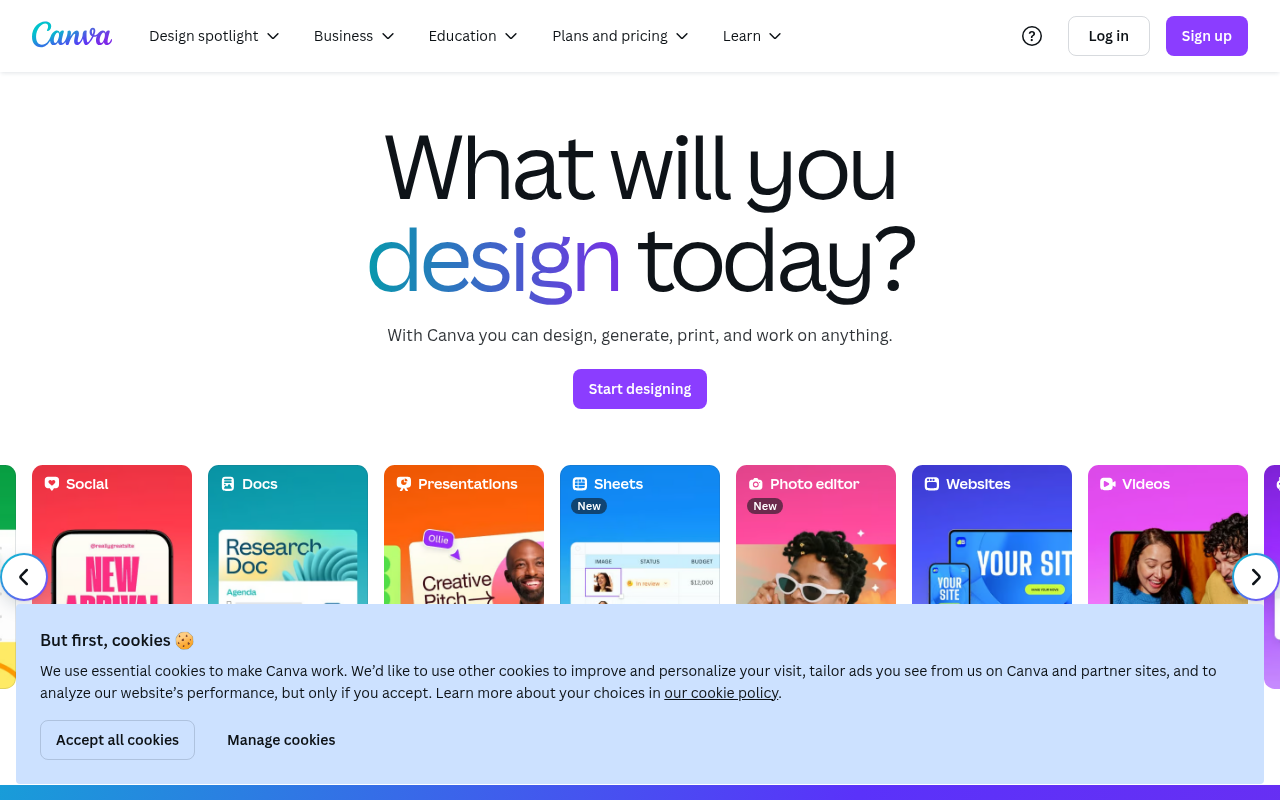
Click to view full size
About This Website
What is Canva?
Canva is a user-friendly, AI-powered online design tool that empowers individuals and businesses to create stunning visuals without needing extensive design experience. Its purpose is to democratize design, making it accessible to everyone from social media managers to small business owners and educators. Canva utilizes AI in various features, such as its Magic Edit and Background Remover, to simplify complex design tasks. It boasts cross-platform advantages, accessible on web browsers, iOS, and Android devices, allowing users to design on the go.
Key Features
- Drag-and-Drop Interface: Canva’s intuitive drag-and-drop interface makes designing incredibly easy. Users can simply select elements, templates, and images, and arrange them on the canvas with ease. No prior design skills are required.
- Extensive Template Library: Canva offers a vast library of professionally designed templates for a wide array of uses, including social media posts, presentations, posters, and more. These templates provide a solid starting point, and users can customize them to fit their specific needs.
- AI-Powered Design Tools: Canva integrates AI-powered tools like Magic Edit, which allows you to replace parts of an image with AI-generated content, and Background Remover, which instantly removes the background from any photo with a single click. These tools significantly reduce the time and effort required for image editing.
- Brand Kit: For businesses, Canva's Brand Kit feature is a game-changer. It allows you to store your brand's logos, colors, and fonts in one place, ensuring consistency across all your designs.
Pros & Cons
| Pros | Cons |
|---|---|
| ✓ User-friendly interface, even for beginners. | ✗ Limited advanced design capabilities compared to professional software. |
| ✓ Huge library of templates and design elements. | ✗ Some features and elements require a Canva Pro subscription. |
| ✓ AI-powered tools simplify complex design tasks. | ✗ Occasional performance issues with large or complex designs. |
| ✓ Cross-platform accessibility (web, iOS, Android). | ✗ Reliance on internet connectivity. |
| ✓ Excellent for creating visual content quickly and efficiently. |
Who is Using Canva?
Canva is used by a diverse range of individuals and organizations, including:
- Social Media Managers: To create engaging posts, stories, and ads.
- Small Business Owners: To design marketing materials, logos, and website graphics.
- Educators: To create presentations, worksheets, and classroom visuals.
- Non-profit Organizations: To design promotional materials and fundraising campaigns.
- Anyone: Seeking easy-to-use design tools for personal projects like invitations and presentations.
A less common, but creative, use case is for authors to create visually appealing book covers or interior graphics on a budget.
Pricing
Canva offers a tiered pricing structure:
- Free: Provides access to a large library of templates and design elements.
- Canva Pro: Unlocks additional features like Brand Kit, unlimited storage, and access to premium templates and elements.
- Canva for Teams: Designed for collaborative work with team-specific features and controls.
Disclaimer: Pricing may vary, please check the official Canva website for the most up-to-date information.
What Makes Canva Unique?
Canva’s unique selling point is its blend of simplicity and power. It empowers non-designers to create professional-looking visuals quickly and easily. The AI integration further simplifies design tasks. This combination of user-friendliness and powerful features distinguishes it from more complex design software options.
How We Rated It
| Category | Rating (1-5) |
|---|---|
| Accuracy and Reliability | 4 |
| Ease of Use | 5 |
| Functionality and Features | 4.5 |
| Performance and Speed | 4 |
| Customization and Flexibility | 4 |
| Data Privacy and Security | 4 |
| Support and Resources | 4.5 |
| Cost-Efficiency | 5 |
| Integration Capabilities | 3.5 |
| Overall Score | 4.2 |
Summary
Canva is a standout AI-powered design tool that benefits anyone who needs to create visual content without having the skills or resources for professional design software. Its ease of use, extensive template library, and AI-powered features make it a top choice for social media managers, small business owners, educators, and anyone looking to create visually appealing designs efficiently and affordably.
Similar Tools
Generate beautiful custom isometric skeuomorphic icons inspired by Airbnb's new ...
EditAI helps teachers create engaging, problem-based learning (PBL) content alig...
Share your designs with your clients and your team to get feedback on websites, ...
Get access to a library of the highest quality 3D content and create virtual wo...
Featured Links
Unlock back-tested predictive leading trading indicators on real-time charts. Tr...